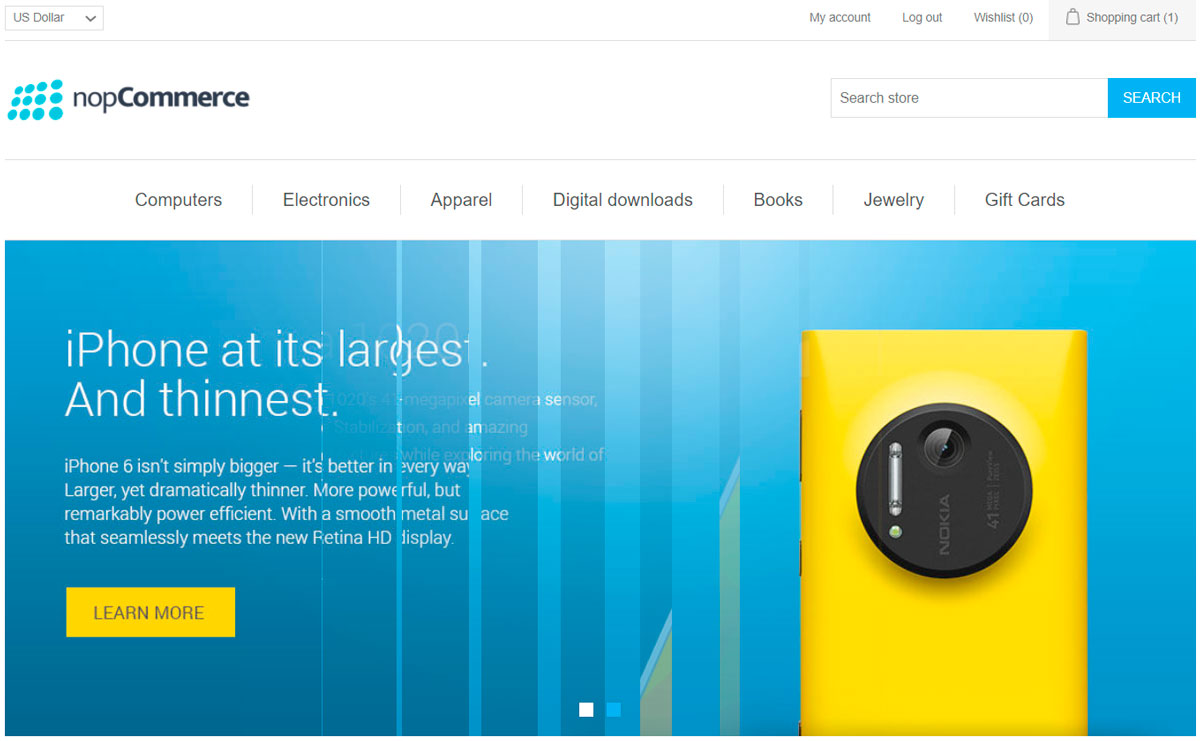
Nivo slider plugin
Nivo slider widget plugin allows you to display a slider on the homepage of your store.
Configure the Nivo slider plugin
Go to Configuration → Widgets. The Widgets window is displayed:
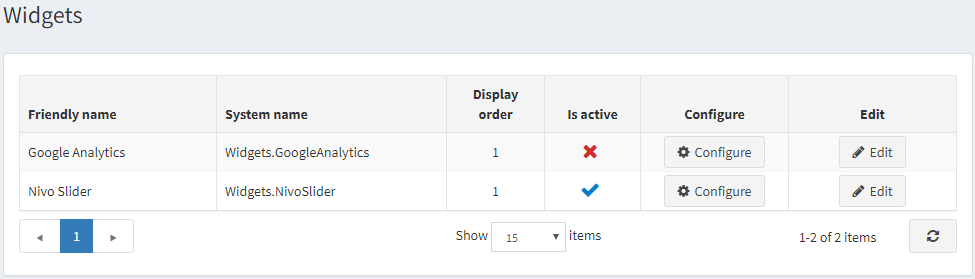
Click Edit beside the Nivo slider plugin. The window is expanded, as follows:

Tick the Is active checkbox, to enable the plugin.
Click Configure. The Configure – Nivo slider window is displayed, as follows:
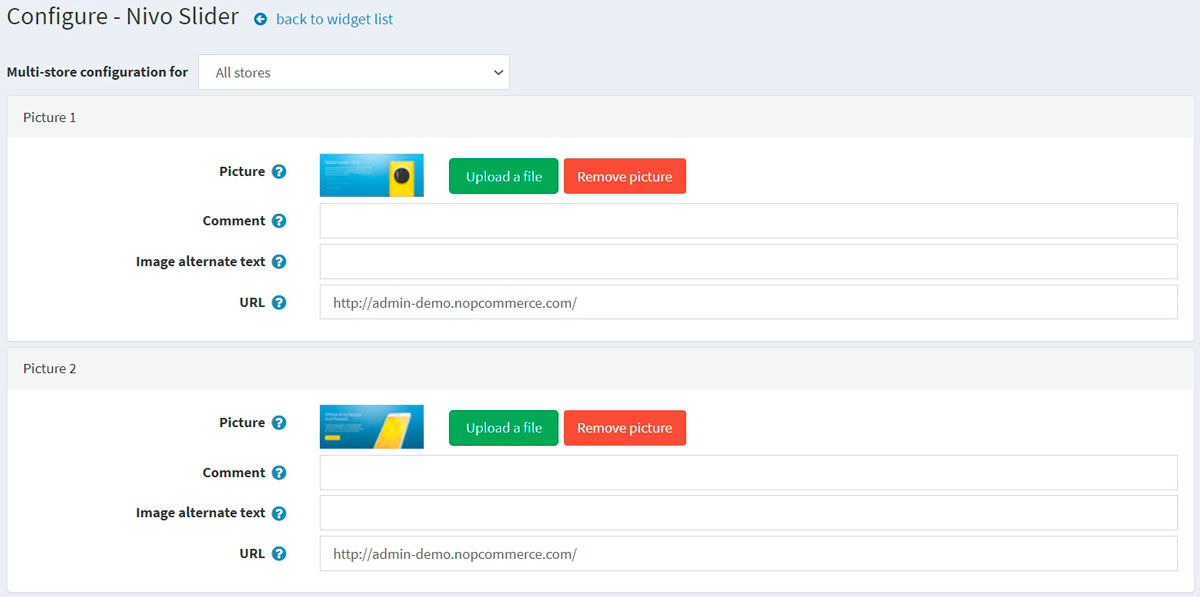
Perform the following for each slide you would like to upload:
- In the Picture field, click Upload a file to upload the required picture. Click Remove picture to remove the existing one.
- In the Comment field, enter a comment for the picture or leave empty to not display any text.
- In the Image alternate text field, enter alternate text that will be added to image.
- In the URL field, enter the required URL or leave empty if you do not want the picture to be clickable.
Click Save.
Now you can go to the homepage of your public store and the updated image slider: